How to Find Someone's Email Address by Domain
A step-by-step way to find anyone's work email once you know the company domain, patterns, checks, and tools.

Knowing where someone works is usually the easy part. That company domain doesn't automatically become a working email address for one specific person, and that's where most people get stuck, or worse, send to a guess that bounces. If a name and a company are all you have, the domain itself is enough to work from, no LinkedIn profile or contact list required. Here's the process, from finding the pattern to confirming the address actually works, before you ever hit send.
Start With the Right Domain
Not every company sends mail from the same domain shown in their browser bar. A business might run its website on company.io but send email from company.com, especially after a rebrand or a merger. Check a recent email from the company, a newsletter, an invoice, a press release, anything with a visible sender address, to confirm which domain actually receives and sends mail before building on the wrong one.
Look for an Existing Email on the Company's Site
Before guessing anything, look for one real, confirmed address. None of this requires LinkedIn, the company's own website usually gives away its email pattern faster than scrolling through profiles does. Team pages, press pages, blog author bios, and job postings are the most common places a company accidentally reveals its own pattern. How you find someone's email pattern usually comes down to spotting one working example and reading it correctly:
- Find
jane.doe@company.com? Tryfirstname.lastname@for everyone else. - Find
jdoe@company.com? Tryfirst initial + last name@instead. - Find
jane@company.com? The company likely usesfirstname@alone, common at smaller teams. - Find
doe.jane@company.com? Less common, but some companies put the last name first.
No luck on the site itself. A quick search for "@company.com" in a search engine sometimes turns up an address from a conference listing, a guest post, or an old press release.
Common Corporate Email Patterns
There isn't one universal company email format. Most businesses use one pattern consistently across all employees, but that pattern varies from one company to another. Once a domain doesn't give up a sample address, these are the patterns worth trying, roughly in order of how often they show up.
| Pattern | Example (Jane Doe at company.com) |
|---|---|
| first.last@domain | jane.doe@company.com |
| firstinitiallast@domain | jdoe@company.com |
| firstlast@domain | janedoe@company.com |
| first@domain | jane@company.com |
| first.lastinitial@domain | jane.d@company.com |
| last.first@domain | doe.jane@company.com |
Company size shifts the odds. Smaller teams and startups lean toward first@domain more often, larger organizations tend toward first.last@domain once a company has enough people that first names alone start colliding. Once a pattern is confirmed for one person, it usually holds for everyone else at that company too, multiple people at the same domain almost always share the same convention rather than each having their own.
Match the Pattern to the Person's Name
This step trips people up more than it should. Confirm the person's name spelling from a source they control, their own LinkedIn profile or a company bio, not a business card that might be years out of date. Watch for accented characters, which usually get stripped in an email address, hyphenated last names, which sometimes get shortened to one half, and nicknames, since a "Bill" might be a "William" in the company directory.
Verify Before You Use It
A pattern match is a guess, not a confirmed address, and the difference matters once real outreach is on the line. A check against the company's mail server before sending is what separates a working email from a plausible one. Results generally fall into a few buckets:
- Valid: the mailbox exists and is confirmed safe to send to.
- Invalid: the mailbox doesn't exist, so sending to it will bounce.
- Risky: the address couldn't be confirmed either way, most often because the domain is catch-all, meaning it accepts mail sent to any address at that domain, so the specific mailbox can't be confirmed one way or the other.
The first two are the same everywhere. The third one is where naming varies between tools, the same result gets labelled risky, unknown, accept-all, or catch-all depending on which verifier you're using, but it always means the same thing: the check didn't come back conclusive.
Catch-all domains are the most common reason a correct-looking guess ends up unverifiable rather than confirmed. Google Workspace and Microsoft 365 domains are frequently set up this way, which is why a simple server ping alone often isn't enough to tell a real mailbox from a dead one.
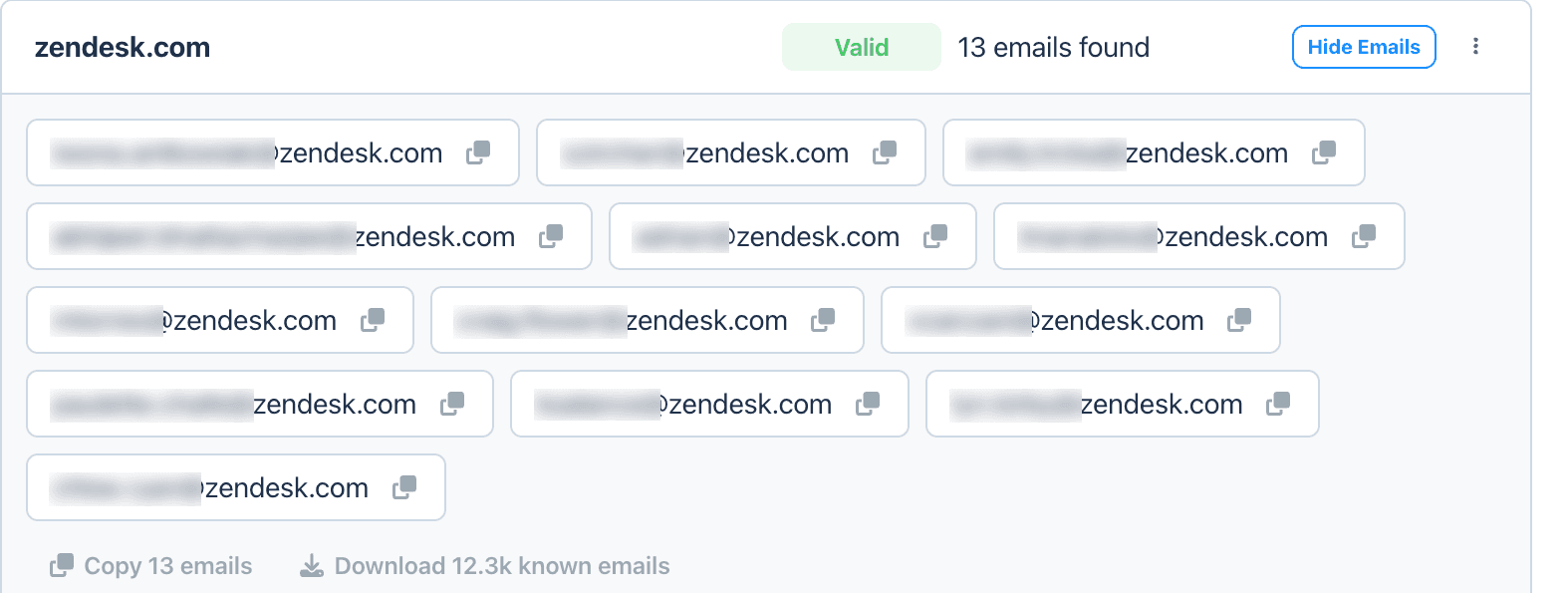
Once you've identified the company domain, a domain search lets you quickly see verified addresses and confirm the company's email pattern.
QUICK TIP If an address comes back risky rather than valid, that's not necessarily a dead end, it just means the domain's mail server won't confirm or deny it directly. A deeper live check, rather than a basic server ping, can often resolve a catch-all address that a simpler tool would just shrug at.
Using a Domain Search Tool
Everything above works by hand, and plenty of people do it that way for the odd contact. It gets slow fast once there's more than a handful of names to check, or a company where the pattern isn't obvious from the outset. Once the domain and the person's name are identified, a domain search tool can automate the pattern detection and the live verification step in one pass, instead of guessing patterns manually and checking each one by hand. Anymail Finder's email finder by domain works this way, enter a company domain and it returns verified contacts with the pattern already identified.
Common Mistakes When Searching by Domain
- ❌ Assuming every company uses firstname.lastname. It's the most common pattern, not a universal one, smaller teams and some larger companies both deviate from it often.
- ❌ Using the website domain instead of the email domain. A company can run its site on one domain and send mail from another, especially after a rebrand or a merger.
- ❌ Never verifying the address. A handful of unverified guesses on a small batch is a minor annoyance, the same habit at scale can damage sender reputation for every email sent afterward.
- ❌ Ignoring catch-all domains. A catch-all result isn't confirmed, treating it as equivalent to a valid one raises the bounce rate for the whole list, not just the uncertain addresses.
- ❌ Assuming one confirmed pattern applies company-wide forever. Patterns can change after a rebrand, a merger, or a switch in email provider, so a pattern that worked six months ago is worth re-checking rather than assumed.
When a Domain Search Won't Work
This approach has real limits, and it's worth knowing them before spending time on a dead end.
- The company has no real public presence. Very small or very private companies sometimes have nothing indexable to infer a pattern from.
- The person no longer works there. A pattern can be right and the mailbox can still be gone, former employees are usually deprovisioned.
- The company uses department aliases instead of personal addresses. Some organizations route everything through shared inboxes rather than individual mailboxes.
- The domain blocks verification checks outright. A small number of mail servers reject verification attempts entirely, which leaves every result unconfirmed regardless of the tool used.
- The domain is catch-all with no other signal to go on. When nothing else narrows it down, a catch-all domain can leave even a correct guess sitting at risky rather than valid.
When the domain route runs out, it's worth falling back to a different angle entirely, social profiles, WHOIS records, or a mutual contact. Our guide to finding anyone's email address covers those methods and when each one is worth the time.
Frequently Asked Questions
Start with the company's domain, look for one confirmed email address anywhere on their site to learn the pattern, then apply that pattern to the person's name. The step most people skip is verification, checking that the specific address you've built actually works, rather than assuming a pattern match is enough.
firstname.lastname@domain.com is the single most common pattern across companies of most sizes, though it's far from universal. Smaller companies and startups lean toward firstname@domain.com more often, and some larger organizations use a first initial plus last name instead.
A catch-all domain accepts mail sent to any address at that domain, whether or not a real mailbox exists behind it, so a standard check can't confirm the specific address is real. That result usually gets labeled risky rather than valid or invalid, meaning the pattern is plausible but not fully confirmed.
You can find generic addresses this way, info@, hello@, sales@, and similar, but a domain alone won't get you a specific person's mailbox. For that you need the person's name too, then the domain tells you which pattern to apply to it.
Finding a work email address is generally lawful, but the address itself isn't exempt from data protection rules. Under GDPR, a work email that identifies a named individual, like jane.doe@company.com, is personal data even though it's a business address. B2B outreach is usually run on a legitimate interest basis, which means documenting that assessment, telling people where you got their details, and honouring opt-outs. Generic addresses like info@ or sales@ sit outside this, since they don't identify a person. Rules vary by region and by how the address ends up being used, so it's worth checking local regulations before running outreach at volume.
The pattern can be right and the specific person's address can still not exist, they may have left the company, use a shortened first name, or the domain might route mail differently than the pattern suggests. This is exactly what verification catches before a bounce happens instead of after.
Skip the manual work
If you'd rather not do this by hand, a domain search tool like Anymail Finder can identify verified work email addresses automatically and show you the company's email pattern.
Get started free