
How Agencies Manage Email Finding for Multiple Clients
How agencies build target lists, verify at scale, and track cost per client without mixing data between accounts.

Finding emails for one company is a search. The same work across a dozen clients at once, without their prospect lists bleeding into each other, without losing track of what each client's search actually cost, is a workflow problem more than a tool problem. Here's how agencies typically structure that work.
Keeping Clients Separated
The most common mistake isn't a bad list, it's a mixed one. Once results from two clients end up in the same export or the same untagged search history, untangling them after the fact costs more time than keeping them apart would have. A couple of approaches handle this cleanly:
- Tag or folder at search time. Use a consistent naming convention, such as the client name as a prefix on every list or folder, from the moment a search starts rather than after the results come back.
- Separate workspaces or accounts. Anymail Finder's workspaces add another option, each one has its own members, credits, API keys, and billing, with nothing shared between them.
Either works. What doesn't work is deciding on a system after the first mixed export already happened.
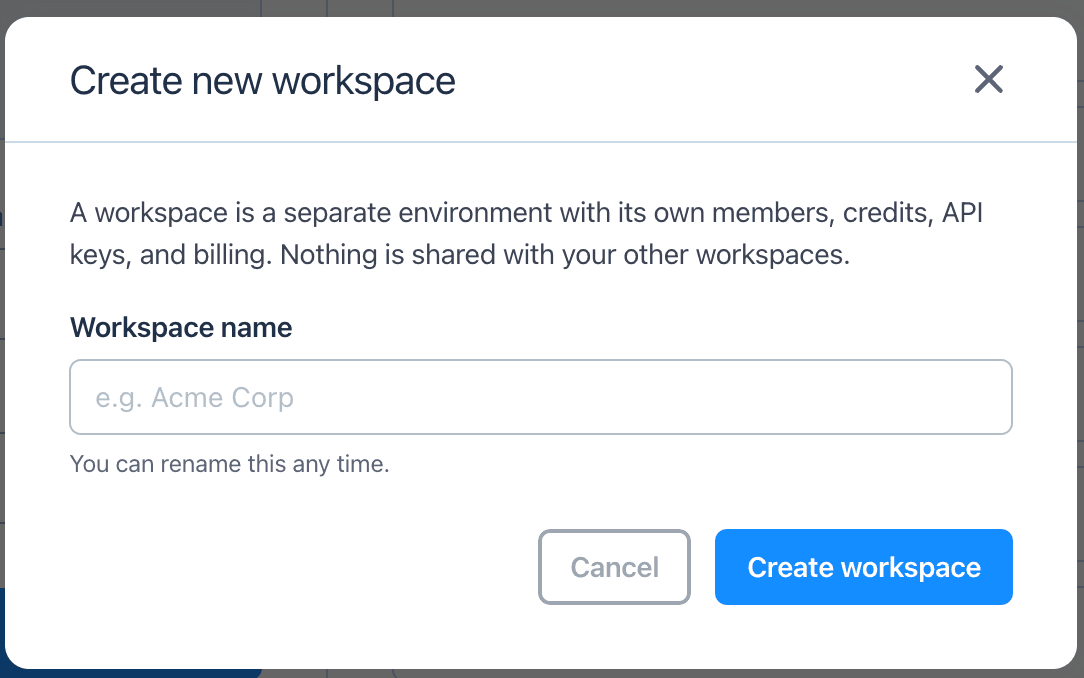
Each workspace keeps its own members, credits, API keys, and billing separate, a clean split for a client that needs one.
Building the List: Firmographic vs Technographic
Industry, company size, and location are useful starting points for many client briefs. For clients selling into a specific tech ecosystem, technographic data adds another layer by showing which technologies a company already uses. Tools like BuiltWith, Wappalyzer, or PublicWWW can help identify companies using a particular CMS, analytics platform, or other website technology. That can make the list more relevant when a client's offer depends on, integrates with, or replaces a specific technology.
Once that list of companies exists, the email-finding step is the same either way, a name or a domain per company, run through search or bulk upload, per client.
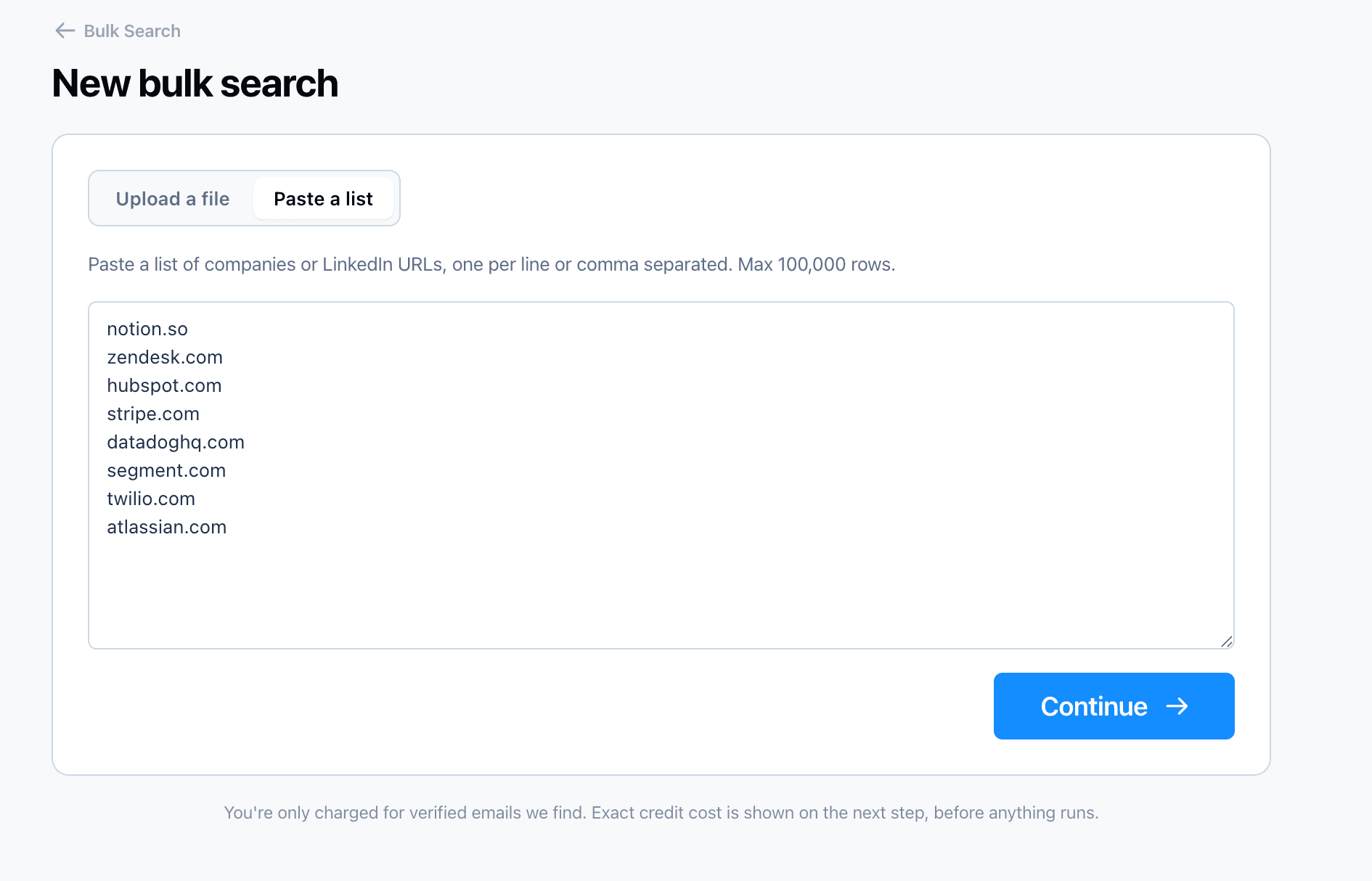
A list of target companies, however it was built, pastes straight into bulk search rather than needing one lookup per company.
Verifying at Scale Before Handoff
A list that was accurate when it was built can be stale by the time it's delivered, and a list built from technographic data still needs the same pattern-and-verify process as any other. A bulk check on the full list before it goes to the client catches both problems, addresses that have gone dead since the search, and lookups that were only ever a pattern guess. A high bounce rate on a client's first campaign is one of the fastest ways to lose their confidence in the work, checking the list first is cheap insurance against that. The mechanics of running that check are covered in How to Bulk Verify a List of Emails, worth a look if that step isn't already part of the workflow.
Tracking Cost Per Client
Billing gets easier when tool usage is tracked separately for each client. The important number isn't only how many searches were run, but how many usable contacts were ultimately delivered. Depending on the tool's pricing model, those two numbers may not be the same.
With pay-per-valid pricing, attribution is straightforward: the email-finding cost for a client is based on the valid results delivered. Agencies can then pass that cost through directly or include it in a broader prospecting fee. The trade-offs between pay-per-valid and other pricing models are covered in more detail in Email Finder Pricing Models Compared.
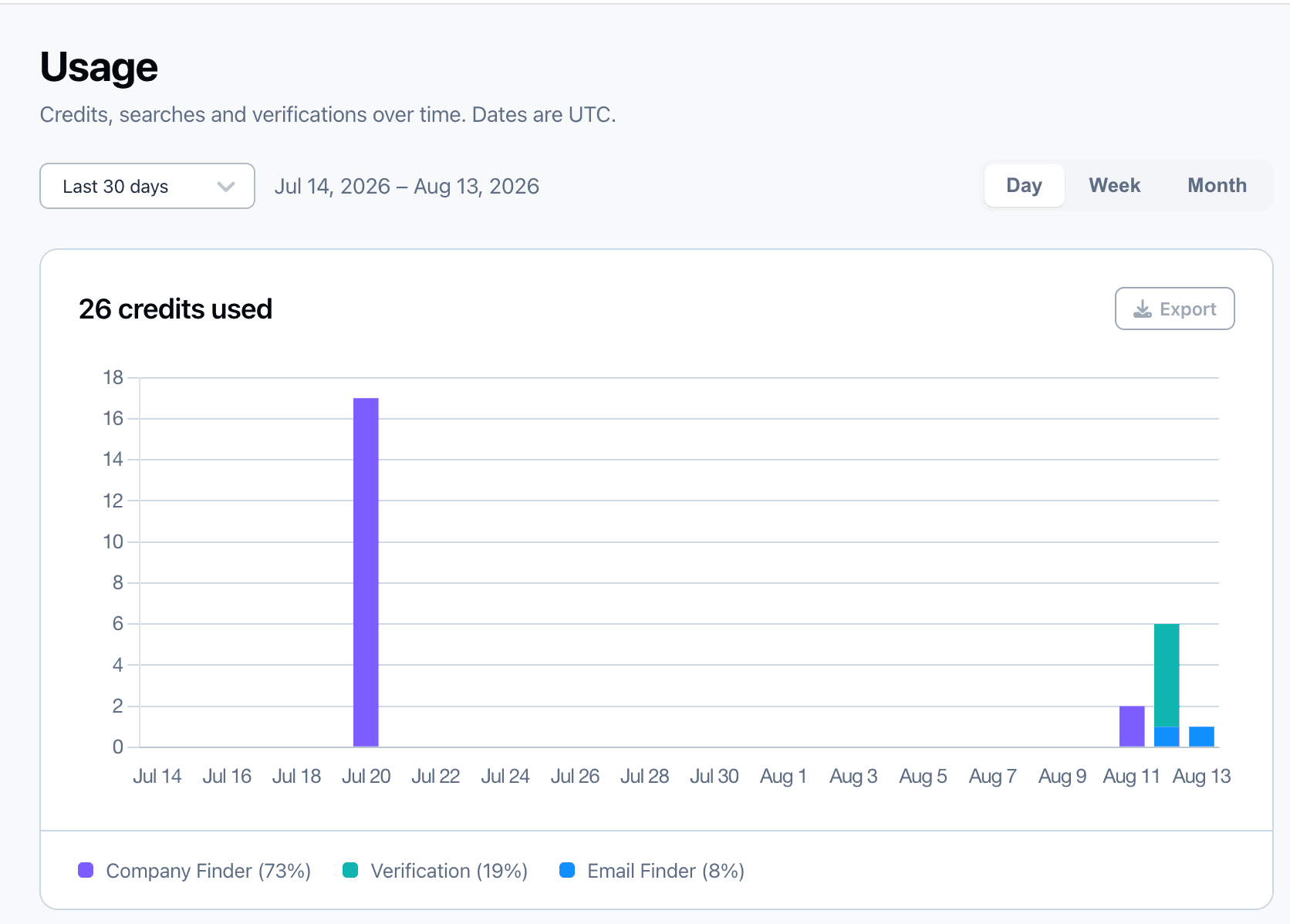
Usage breaks down credits by day and by tool, company search, verification, and person email searches, a starting point for reconstructing what a given period of work actually cost.
A pay-per-valid tool with bulk search and bulk verification built in covers most of a client's list from one place, without stitching together a separate finder and a separate verifier for every project. Anymail Finder's Bulk Email Finder and Email Verifier work this way, and its per-credit billing, valid-only on email finding and a flat 0.2 credits per address on verification, is what makes the cost breakdown in the table below realistic to maintain per client rather than an estimate reconstructed after the fact.
| Approach | How it's billed | Best for |
|---|---|---|
| Pass-through cost | Exact tool cost per client, itemized on the invoice | Clients who want full cost transparency |
| Flat prospecting fee | Tool cost folded into a set fee covering the list-building work | Simpler invoicing, less client-facing detail |
Common Mistakes Agencies Make
- ❌ Reusing an old list across clients without checking for overlap. Two clients in adjacent industries can end up targeting the same companies without realizing it.
- ❌ Delivering a list that was never verified. A pattern guess that looks right isn't the same as a confirmed address, and the client finds out the difference through bounces.
- ❌ No per-client cost record. What a client's list actually cost is far harder to reconstruct weeks later, for an invoice dispute or a renewal conversation, than it is to log at the time.
- ❌ Treating firmographic filters as good enough for every client. A client selling into a specific tech ecosystem is usually better served by technographic targeting than by industry and size alone.
Frequently Asked Questions
Lists are typically kept separated by client from the start, a naming convention, a folder per client, or a tag applied at search time, rather than sorting a shared pool of results afterward. Separate workspaces or team seats, where a tool supports them, create a clearer boundary but don't remove the need for consistent tagging discipline.
It depends on the pricing model and how many of the found emails come back valid. A pay-per-valid-result tool makes this easier to track, the email-finding cost per client is exactly the number of valid emails delivered times the per-credit rate, rather than an estimate based on total lookups attempted.
That's a business decision rather than a technical one, but agencies commonly handle it one of two ways, passing through the exact cost as a line item, or folding it into a flat prospecting fee that covers the tool cost plus the time spent building and reviewing the list. A per-client credit log makes either approach easy to justify if a client asks.
It depends on how the client's buyers are best identified. Firmographic filters such as industry, company size, and location work well for broad targeting. Technographic data can narrow the list further when the client's product integrates with, replaces, or complements a specific technology. In that case, knowing which companies already use that technology gives the agency a more relevant starting point for prospecting.
Not necessarily. Separate workspaces guarantee no data crosses between clients, each one keeps its own members, credits, and billing, but add overhead managing separate credit balances and invoices. One workspace with clear per-client tagging or folders is simpler to manage and works for most agencies, as long as the tagging discipline is consistent from the first search.
A bulk verification pass on the full list before delivery catches addresses that were valid when found but have since gone stale, or that were only ever a pattern guess. A list with a high bounce rate is one of the fastest ways to lose a client's confidence, a check before delivery is cheap insurance against that.
Built for finding emails at scale
Bulk search, bulk verification, and pay-per-valid pricing that makes per-client cost easy to track.
Start a 7-day trial